

Volume Booster With Shortcuts in Chrome with OffiDocs

Ad
DESCRIPTION
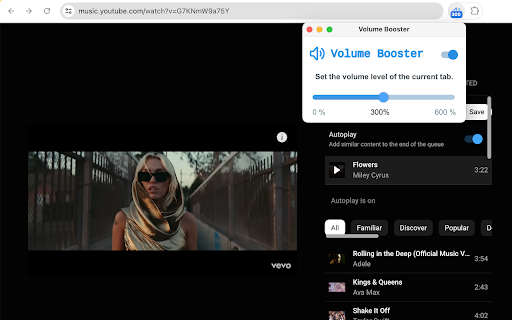
Volume Booster helps boost video sound on any tab! You can increase or decrease volume using keyboard shortcuts
Volume Booster With Keyboard Shortcuts helps boost video or music volume to up to 600%.
After installation, you can click the extension icon and control the volume using the slider, or use the toggle to turn off/on the extension.
Volume level is per tab. You can set different volume levels for different tabs.
You can use "Alt+Up" to increase the volume and "Alt+Down" to decrease the volume. Sometimes you need to click the extension icon for at least once.
Volume Booster With Shortcuts web extension integrated with the OffiDocs Chromium online


