

NoTrack in Chrome with OffiDocs

Ad
DESCRIPTION
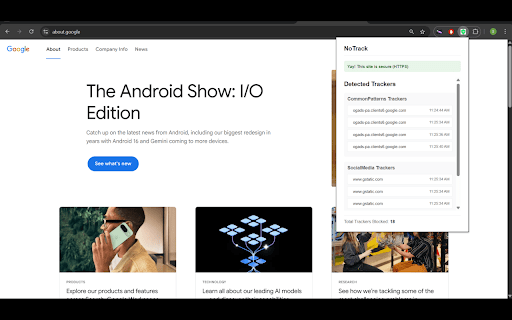
Protects your privacy by detecting trackers and warning about insecure websites
NoTrack Browser Extension
A powerful privacy-focused browser extension that helps protect your online privacy by detecting and blocking trackers while warning you about insecure websites.
Features
- Automatically detects and blocks common web trackers
- Warns about insecure (HTTP) websites
- Shows real-time statistics of blocked trackers
- Displays a list of blocked trackers per website
- Visual indicators for security status
Usage
After installation, the Privacy Guardian icon will appear in your browser's toolbar. The extension works automatically to protect your privacy:
A red badge with a number indicates the count of blocked trackers on the current page
An orange badge with "!" indicates that the current website is not secure (HTTP)
Click the extension icon to view detailed information about trackers and security status
NoTrack web extension integrated with the OffiDocs Chromium online


