

YouTube Quick Keys in Chrome with OffiDocs

Ad
DESCRIPTION
Control Youtube with your keyboard
Take control of YouTube with just your keyboard!
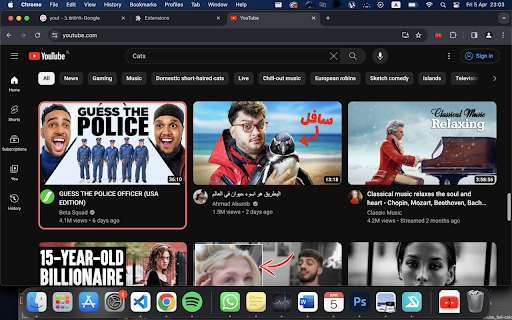
This extension lets you navigate the YouTube homepage and search bar without needing a mouse.
Effortlessly browse videos:
Activate "Select Mode" with Ctrl + Y.
Use the arrow keys to move up, down, left, and right between videos on any YouTube page!
Hit Enter to open the selected video and start watching.
This extension streamlines your YouTube experience, allowing you to navigate and search with just your keyboard. Save time and clicks, and focus on what matters - the videos!
New Features (version 2.0.0):
1.Keys are fully customizable.
2.Added Home short cut to return to youtube's home page
YouTube Quick Keys web extension integrated with the OffiDocs Chromium online


