

ChatGPT Continue Button in Chrome with OffiDocs

Ad
DESCRIPTION
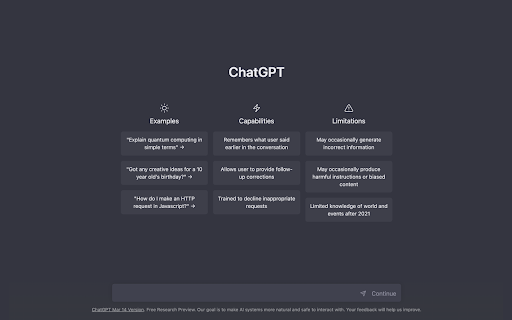
Add a continue button to ChatGPT
"ChatGPT Continue Button" is a Chrome extension that allows users to easily request the continuation of a response from ChatGPT in case it gets interrupted. This extension displays a "Continue" button right after the input field of ChatGPT, and by simply tapping the button, users can send the text "Continue" to ChatGPT.
The main benefits of this extension include:
- Users can easily request the continuation of a response, enabling them to get an immediate follow-up response even if the previous one got interrupted.
- By simply tapping the button, users can send the text "Continue," making it more convenient to use ChatGPT.
- This extension enhances the user experience of ChatGPT, making communication smoother and more seamless.
In summary, "ChatGPT Continue Button" is a very useful Chrome extension that improves the user experience of ChatGPT.
ChatGPT Continue Button web extension integrated with the OffiDocs Chromium online


