

Secure Private Browsing by Futureproof in Chrome with OffiDocs

Ad
DESCRIPTION
Know when any site uses your camera, microphone, location, or sends notifications — and change access without leaving the page.
Protect your privacy online - Futureproof helps you stay safe by showing when a website can use your camera, microphone, exact location, or send you notifications — and lets you block that access instantly.
This way, you can avoid:
â–¸ Unwanted camera or microphone use
â–¸ Annoying or fake notifications
â–¸ Your location being shared without you knowing
Here’s how it works:
1) A simple alert shows up if any website you visit has access to sensitive information.
2) A small widget appears on the side of the site while you browse — showing you what access this website currently has.
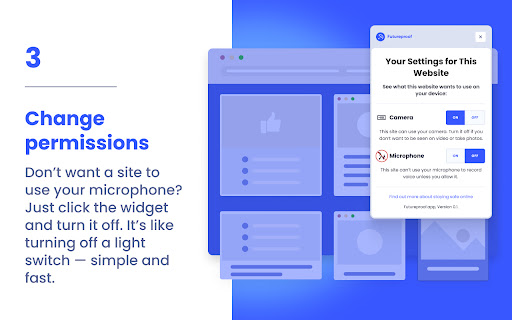
3) You can change permissions with one click. Don’t want a site to use your microphone? Just click the widget and turn it off. It’s like turning off a light switch — simple and fast.
Now, whenever a site knows where you are, records you, or sends messages — you’re in charge.
No digging through confusing browser menus. Just calm, clean, and private browsing, your way.
Secure Private Browsing by Futureproof web extension integrated with the OffiDocs Chromium online


