

Export History/Bookmarks to JSON/CSV*/XLS* in Chrome with OffiDocs

Ad
DESCRIPTION
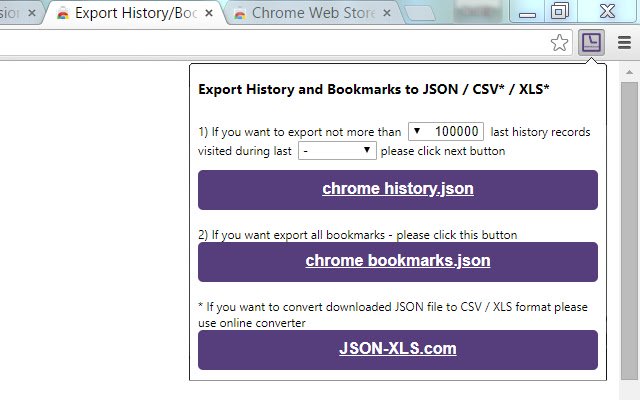
Save Chrome history and bookmarks as JSON files.
Click on 'Chrome History.
json' or 'Chrome Bookmarks.
json' button to download JSON file with your browser history/bookmarks.
If you want to convert downloaded JSON file to CSV/XLS/XLSX format please use online converter http://www.
JSON-XLS.
com/json2xls.
NOTICE: This extension doesn't export history or bookmarks into CSV or Microsoft Excel Binary File Format (.
xls) file.
Any JSON file can be converted to CSV/XLS/XLSX format at http://json-xls.
com/.
----------- v2.3: - Changed maximum period due to Chrome limitations (not more than 3 months).
v2.2: - Fixed downloading bookmarks (invalid 'Added date').
v2.1: - Fixed download on second attempt.
v2.0: - Fixed download if "Ask where to save each file before downloading" is Checked in Chrome's Settings v1.9: - JSON files have been formatted! v1.8: - Extension requires 'Manage your downloads' permission (for Chrome v65.0.3325.181 or later)! v1.6: - Two new limits were added for history records: 100K and 500K! v1.4: - Allows to limit number of history records! v1.3: - CSV/TSV formats are available! v1.2: - human readable format for date/time stamp!
Additional Information:
- Offered by json-xls.com
- Average rating : 3.21 stars (it was okay)
- Developer This email address is being protected from spambots. You need JavaScript enabled to view it.
Export History/Bookmarks to JSON/CSV*/XLS* web extension integrated with the OffiDocs Chromium online


