

Bookmark All Tabs in Chrome with OffiDocs

Ad
DESCRIPTION
Bookmark all open tabs across all windows with a single click
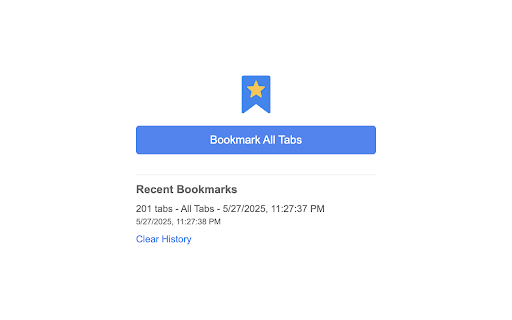
Bookmark All Tabs is a simple and efficient Chrome extension that allows you to save all your open tabs across all windows with a single click.
Key Features:
• Bookmark all open tabs across all Chrome windows instantly
• Creates a new folder for each batch of bookmarks
• Shows a history of your recent bookmark operations
• Clean and intuitive interface
• No configuration needed - just click and bookmark!
Perfect for:
• Saving your research tabs for later
• Creating backups of your current browsing session
• Organizing tabs by topic or project
• Quick bookmarking of multiple windows
How to Use:
1. Click the extension icon in your Chrome toolbar
2. Click "Bookmark All Tabs"
3. Your bookmarks will be saved in a new folder with the current date and time
Privacy:
• No data is collected or stored
• Works entirely locally in your browser
• No external servers or APIs used
Note: The extension requires permission to access your bookmarks and tabs to function properly.
Bookmark All Tabs web extension integrated with the OffiDocs Chromium online


