

Netflix Enhanced 2.0 in Chrome with OffiDocs

Ad
DESCRIPTION
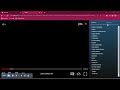
⬇️️Easy to set up⬇️: 1. Install the extension.
2. Click on the extension icon to open the Netflix™ page in a new tab.
3. Change the extension’s behavior via an icon that is shown when hovering on the extension status icon.
✨Features ✨ 1. Clicking on the extension status icon in a video player


