

Rumble Routine in Chrome with OffiDocs

Ad
DESCRIPTION
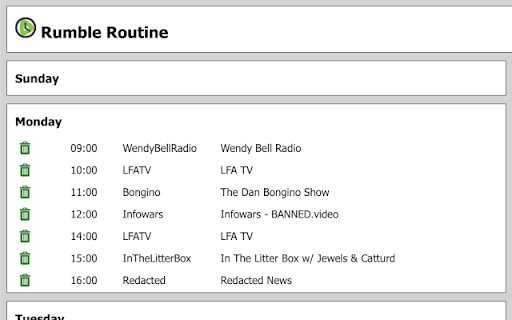
Create an autoplay schedule of your favorite Rumble live streams
Add your favorite Rumble livestreams to a schedule and they will automatically open and play at their regularly scheduled time.
A huge convenience if you:
- Have several Rumble streams (or even just one!) that you like to watch or listen to regularly
- Want the streams to load/switch/play automatically, even if your hands may not be near the computer
- You want to watch or listen to a stream regularly but you hate the phone alerts and you don't want to be troubled with finding the right browser tab or clicking through the interface to find the one you're looking for
How it works:
- Navigate to the channel of the streamer, or to the stream itself
- Click on the Rumble Routine extension to add a schedule UI at the top of the page
- Select the time to start and the days to apply it to
- Click the "Add" button!
Rumble Routine web extension integrated with the OffiDocs Chromium online


