

GitHub Code Owners Filter in Chrome with OffiDocs

Ad
DESCRIPTION
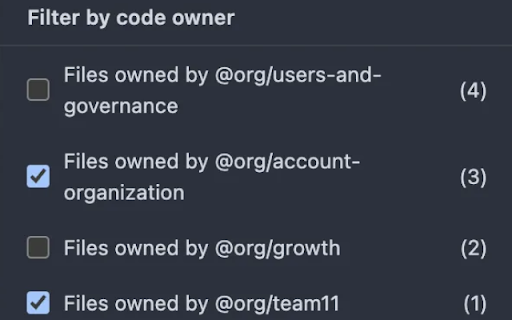
Filter GitHub PR files by code owners
Filter and organize GitHub pull request files by their code owners.
Key Features:
• Filter files by code owner in pull request views
• Works automatically on GitHub pull request file pages
• Shows file count per code owner
• Real-time filtering without page reload
• Dynamically updates when new files are loaded
• Seamlessly integrates with GitHub's native UI
How it works:
Simply navigate to any pull request's "Files changed" tab on GitHub. Click the file filter button above the file list, and you'll see a new "Filter by code owner" section. Select one or more code owners to filter the file list in real-time.
Privacy focused:
• No data collection
• No external network requests
• Only runs on GitHub pull request pages
• Only reads code ownership information that's already visible on the page
GitHub Code Owners Filter web extension integrated with the OffiDocs Chromium online


