

Friendly PDF in Chrome with OffiDocs
Ad
DESCRIPTION
Save the web page as book-like PDF with outlines
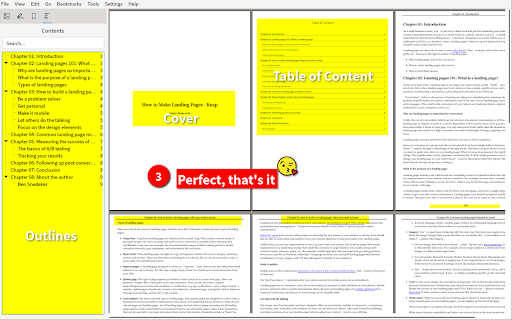
Save any web page (full page or partial selection ) as a beautiful PDF with cover, outline and table of contents.
features
1. Save as a outline's PDF
2. Easily remove elements (eg: annoying ads) what you don't want
3. Print preview
4. Change font and font-size
5. Readability
steps
* Right-click the mouse button, trigger the context menu, and click `Save as PDF with outlines` item
* On the preview page, click the top-right button to generate a beautiful PDF with cover, outline and table of contents
* Done, that's it.
Friendly PDF web extension integrated with the OffiDocs Chromium online


