

Performance Metrics in Chrome with OffiDocs

Ad
DESCRIPTION
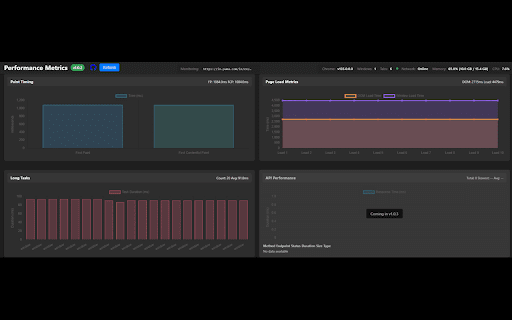
Displays website performance metrics and provides a chatbot interface to query real-time performance data
Performance Monitor is a comprehensive development tool that provides real-time insights into web application performance metrics. It helps developers identify bottlenecks and optimize their web applications through detailed monitoring and visualization.
Key Features:
• FPS (Frames Per Second) monitoring - Track page rendering performance
• Memory Usage Analysis - Monitor JS heap usage and memory consumption
• Network Activity - Track requests, data transfer, and resource timing
• CPU Usage Monitoring - Real-time CPU utilization metrics
• DOM Analytics - Monitor DOM elements, nodes, and event listeners
• Layout Shift Tracking - Measure Cumulative Layout Shift (CLS)
• Resource Timing - Track resource loading performance
• Interactive Charts - Visual representation of all metrics
• Real-time Updates - Continuous monitoring with 1-second intervals
Perfect for:
- Web developers optimizing application performance
- Performance engineers conducting analysis
- QA teams monitoring application behavior
- DevOps monitoring production applications
The extension integrates seamlessly with Chrome DevTools, providing a dedicated panel for all performance metrics.
Performance Metrics web extension integrated with the OffiDocs Chromium online


