

Copy Text from Videos in Chrome with OffiDocs

Ad
DESCRIPTION
The ultimate OCR tool for copying text from Videos, Images and Live Meetings. Support for 100 languages.
Tired of typing out text trapped inside of videos? Copy Text from Videos lets you easily copy on-screen text directly from any video and Live Meetings.
Copy notes from lectures, code from tutorials, links from social media videos, or even handwritten text in seconds.
It supports detecting text in 50+ languages including English, Hindi, Turkish, French, Spanish and many more.
We works on all video sites, You can even use it on local video files by simply dragging and dropping the video file into the Chrome browser.It a must-have for students and professionals participating in online classes and video-based learning.
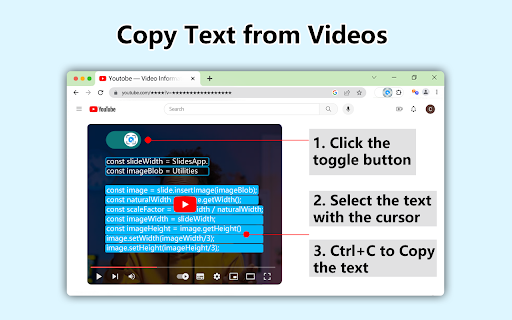
1. Pause the video and click the toggle in the top left
The toggle will not show up until the video is paused.
2. Click and drag while holding the mouse down to select and copy the text
The text will automatically get copied to your clipboard. Paste the text as normal using ctrl+v (windows) or cmd+v (mac).


