

Standalone WhatsApp Web in Chrome with OffiDocs

Ad
DESCRIPTION
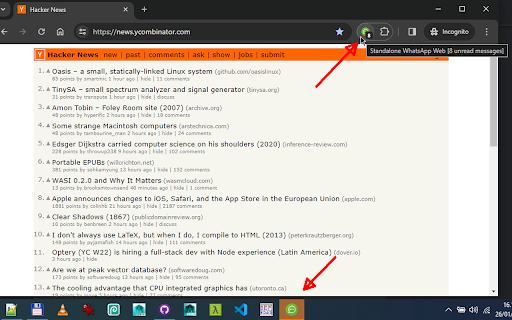
Open WhatsApp Web in a standalone popup window
Click the extension icon to open WhatsApp Web in a standalone popup window.
WhatsApp Web will open in a clean window (i.e. without forward/back buttons or bookmarks bar),
so you can read and write your messages distraction-free,
and always have them available in a separate window, away from your browsing tabs.
If you already have WhatsApp Web open, it will move that tab to the popup.
Right-click the extension icon and select "Re-attach as tab..." from the context menu to reattach WhatsApp Web as a tab in your currently open window.
• Single-instance, detached from other tabs
• Reports unread messages in the extension's icon
• Draw attention to popup window on new unread messages
• Re-attach as tab... (extension context menu)
• Close all WhatsApp Web Tabs... (extension context menu)
DISCLAIMER: I'm not in any way affiliated with WhatsApp, just a happy user of it.
WhatsApp is a registered trademark owned by Meta.
Code: https://github.com/azrafe7/standalone-whatsapp-web
Please file bugs/feature requests at https://github.com/azrafe7/standalone-whatsapp-web/issues
Changelog: https://github.com/azrafe7/standalone-whatsapp-web/blob/main/CHANGELOG.md
Standalone WhatsApp Web web extension integrated with the OffiDocs Chromium online


