

YouTube Auto Subscribe in Chrome with OffiDocs

Ad
DESCRIPTION
Automatically subscribes to YouTube channels from a backup CSV file
Easily Transfer Your YouTube Data
This Chrome extension helps you quickly move your YouTube subscriptions and playlists from one account to another using backup CSV files.
Features
- Transfer subscriptions
- Migrate playlists
How to Use
1. Backup Your Data
Use Google Takeout to export your YouTube data from your old account:
- Subscriptions list
- Playlists data
2. Transfer Data
For Subscriptions:
1. Open YouTube and log in to your new account
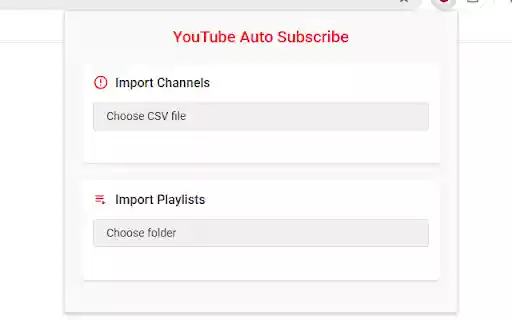
2. Click the extension icon
3. Select your subscriptions CSV file
4. Wait for the process to complete
For Playlists:
1. Click "Choose folder" in the Playlists section
2. Select the folder containing your playlist backup files (ending with `-videos.csv`)
3. Drink a coffee while the extension creates playlists and adds videos
4. You'll see a completion notification when done
Notes
1. Set YouTube's language to English or Chinese
2. Keep the browser open during the process
3. You can minimize the browser window but don't close it
Troubleshooting
1. Check the console for errors if something goes wrong
2. Make sure your CSV files are correctly formatted:
- Subscriptions: channels list from Google Takeout
- Playlists: files ending with `-videos.csv`
If you find this extension helpful, I'd be grateful for your star rating! ⭐️
Thank you for your support!


