

White Rabbit Drive Importer in Chrome with OffiDocs

Ad
DESCRIPTION
Import files to your White Rabbit Drive account as you browse the web! Supports most Webpages, Images, Text and more.
Quickly Import whole web-pages, images, text snippets, video and audio files to your White Rabbit Drive with two clicks! Once imported to your drive, add keywords and notes to the files to keep organized or share with friends!
White Rabbit Drive account required.
How it works:
1) Sign in (or Register) for the White Rabbit Drive.
2) Right-click on the new menu-item and save it.
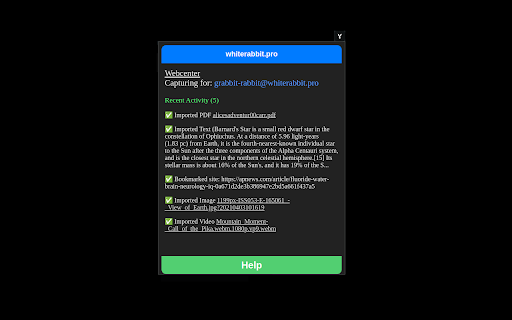
3) Check on it in the extension popup (or in your Webcenter).
4) Visit the file in your drive, add keywords, notes or add to a slide-show!
More information:
We add a menu to your right-click that automatically interfaces with your drive (ensure cookies are allowed and you're logged in). Depending on what you click it on, we will detect it (text, image, web-page, document, or audio/video media) and present a new menu choice to capture it. We then grab it and upload it directly to your Imports folder (or browse it in your Webcenter). Once grabbed, you can then sort it and share it from your drive!
*We recommend pinning our extension so you can see the results instantly.


