

Substack Messaging Extension in Chrome with OffiDocs

Ad
DESCRIPTION
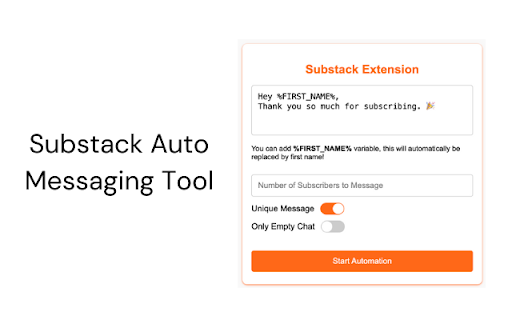
The Substack Auto Messenger Chrome extension is a tool designed to simplify communication with your Substack subscribers. It allows…
The Substack Auto Messenger Chrome extension is a tool designed to simplify communication with your Substack subscribers. It allows you to send personalized or generic messages directly to your subscribers efficiently.
Here's how it works:
1) Install the Extension
- Download and install the Substack Auto Messenger Chrome extension from the Chrome Web Store.
2) Navigate to the Correct Page
- Log in to your Substack profile.
- Go to your Subscribers page at this exact link:
https://yournewsletter.substack.com/publish/subscribers
(Make sure there’s nothing added to the link after “subscribers.�)
3) Open the Extension
Click on the Substack Auto Messenger extension icon in your Chrome toolbar. Buy your monthly subscription in order to use the extension. To do that, click on the "Buy Now" button, which will open a new window.
4) Compose Your Message
- Use the provided text box to write your message.
- Limit the recipients to up to 50 subscribers at a time
- Double-check your message before sending.
5) Keep the Subscribers page open while the extension runs.
The extension will indicate whether messages are successfully sent.
6) Best Practices
Message Size: Keep messages concise and meaningful.
Batch Sending: Avoid sending too many messages at once to maintain smooth operation (you can send max. 50 messages at once).
Monitor Progress: Watch the extension's status updates to ensure all messages are sent correctly.
With this tool, you can efficiently manage your communication, welcome new subscribers, and strengthen engagement with your Substack audience.
Substack Messaging Extension web extension integrated with the OffiDocs Chromium online


