

IR_Black Base16 DevTools Theme in Chrome with OffiDocs
Ad
DESCRIPTION
Once upon a time, developers could customise Chrome's Dev Tools by simply editing a CSS file on their machine.
Then appeared an automatic update which removed this lovely little feature, forever plunging those gallant codemonkeys into despair.
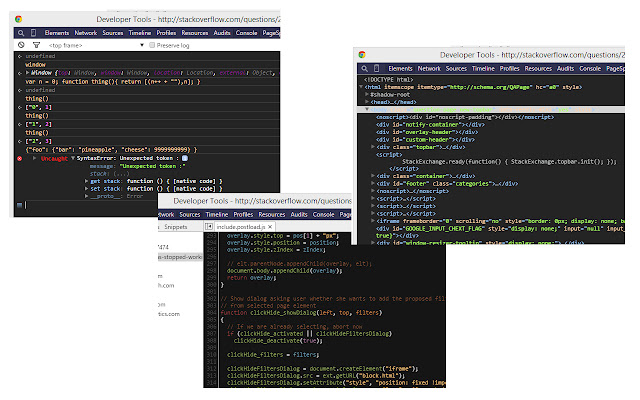
But no more! I present to you a port of bentruyman's IR_Black theme for the Elements and Console tabs, as well as codemirror's Base16 Dark theme for the Sources tab.
Don't like those two themes? No problem! Just click the website link below and clone the repo for this plugin from GitHub and follow the Install and Customise instructions in the README file.
Want to check out other stuff by myself, bentruyman and/or codemirror? Click the website link below for links to them and the sources of theirs that I used.
repo: https://github.
com/Ultrabenosaurus/IR_Black-DevToolsTheme
Additional Information:
- Offered by ultrabenosaurus.ninja
- Average rating : 5 stars (loved it)
IR_Black Base16 DevTools Theme web extension integrated with the OffiDocs Chromium online


![Among Us on PC Laptop [New Tab Theme] in Chrome with OffiDocs](/imageswebp/60_60_amongusonpclaptop[newtabtheme].jpg.webp)


