

Chrome Extension Manager | Master in Chrome with OffiDocs

Ad
DESCRIPTION
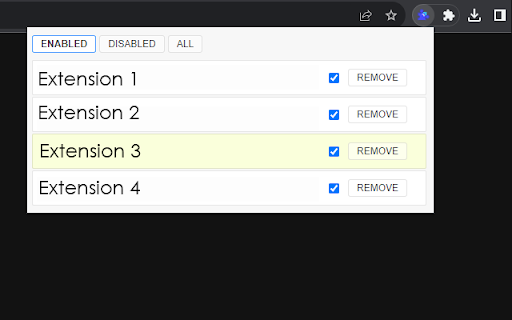
Chrome extension manager chrome:// extensions /, main extension name, extension list, delete extension, edit
Chrome extension manager chrome:// extensions /, main extension name, extension list, delete extension, edit
Here's how to access and use the Chrome extension manager:
Open Google Chrome: Launch the Google Chrome web browser on your computer.
Click on the three vertical dots in the top-right corner of the Chrome window to open the menu.
Hover your mouse over " Chrome Extension Manager logos" in the menu that appears.
View and Manage Extensions :
In the " Extensions " tab, you will see a list of all the extensions you have installed.
You can enable or disable an extension by toggling the switch next to its name. Disabling an extension temporarily turns it off without uninstalling it.
To remove an extension, click the "Remove" button under the extension you want to uninstall.
Chrome Extension Manager | Master web extension integrated with the OffiDocs Chromium online


