

Bookmark Gallery in Chrome with OffiDocs

Ad
DESCRIPTION
Capture and save bookmarks with screenshots of full pages
Never forget why you bookmarked a page!
Bookmark Gallery is the smarter, more visual way to save and organize your favorite web pages. Unlike traditional bookmark managers, Bookmark Gallery captures a screenshot of each page you save, giving you a visual memory aid so you can instantly recognize and recall why you saved a link—even months later.
Why choose Bookmark Gallery?
Have you ever scrolled through a long list of bookmarks and wondered, “Why did I save this?” With Bookmark Gallery, every bookmark comes with a screenshot preview, making it easy to visually scan your collection and find what you need at a glance.
Key Features:
• Visual Bookmarks: Each bookmark includes a screenshot, so you can remember the content, not just the title.
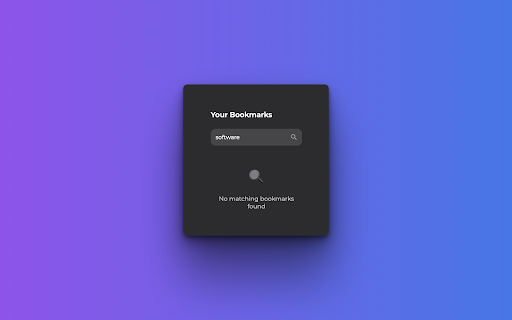
• Instant Search: Quickly find any bookmark by searching its title or URL—even if you have hundreds saved.
• Easy Organization: Edit, delete, and reorder your bookmarks with a simple drag-and-drop interface.
• Modern, Intuitive Design: Enjoy a clean interface that’s beautiful and easy to use.
• Persistent Gallery: Your bookmarks and their screenshots are saved locally, so you can access them anytime.
• Quick Access: Capture and save a bookmark with a single click, right from your browser toolbar.
Version: 1.2
Developer: LOVECLM
If you like this extension, please help to rate and comment.
To access other apps from LOVECLM, please click the link below:
https://chromewebstore.google.com/search/loveclm
Bookmark Gallery web extension integrated with the OffiDocs Chromium online


