

Old Images Redirect: Disable Google Lens in Chrome with OffiDocs

Ad
DESCRIPTION
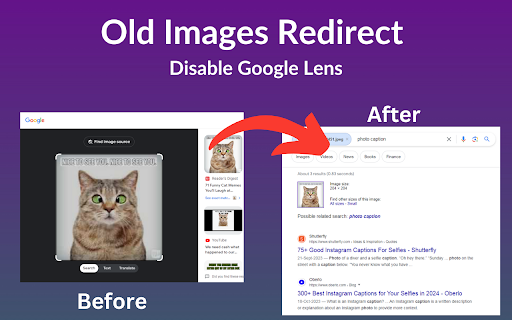
Revert Google Images to classic view & disable Lens for a simpler, nostalgic search experience.
Old Images Redirect: Disable Google Lens is a cutting-edge browser extension designed to transform your image searching experience. By reverting Google Images to its classic, beloved layout, this extension bypasses the modern Google Lens feature, offering users a straightforward, uncomplicated search interface. It’s crafted for those who appreciate the simplicity and directness of the old Google Images, ensuring a hassle-free and nostalgic browsing journey.
Key Features:
Classic Google Images Interface: Instantly access the traditional Google Images layout.
Disable Google Lens: Removes Google Lens integration for a pure, uncluttered search experience.
User-Friendly: Simple to install and use, with no complicated settings.
Fast and Efficient: Enjoy quicker load times and a more responsive search experience.
Perfect for researchers, photographers, and anyone nostalgic for the simplicity of past web experiences, “Old Images Redirect: Disable Google Lens” brings back the efficient and straightforward image search functionality. Whether you’re seeking historical photos, vintage artworks, or simply prefer the old interface, this extension ensures your image searches are effective and to the point.
Old Images Redirect: Disable Google Lens web extension integrated with the OffiDocs Chromium online


