

SafeTube in Chrome with OffiDocs

Ad
DESCRIPTION
A safe YouTube experience for children
Default Password: safetube123
You can change this by going into Advanced Settings.
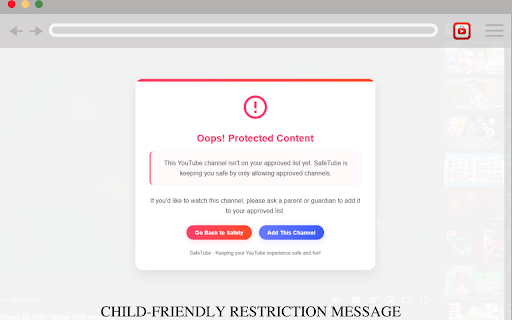
SafeTube creates a safer YouTube experience for children/teens by implementing a parent-controlled whitelist system.
Instead of the classic blocking system where you need to block many channels so your kid stays away from them, you can simply add a few channels to allow list that you want your kid to watch, and the rest of the channels are automaticall blocked.
KEY FEATURES:
• Channel Whitelisting: Children can only access YouTube channels that parents have approved
• Password Protection: Secure settings with a parent password
• Easy Management: Add channels directly from YouTube videos
• Seamless Experience: Clean, non-intrusive interface
• Privacy-Focused: No data collection or tracking
HOW IT WORKS:
1. Parents set up a password to control access
2. Parents whitelist approved YouTube channels
3. Children can only view content from approved channels
4. Unapproved content is automatically blocked
SafeTube is perfect for families who want to allow their children to enjoy YouTube while maintaining control over what content they can access. The extension is lightweight, easy to use, and requires no account creation.
Give your children the freedom to explore YouTube safely with SafeTube!
Update v1.0.1: Added a proper mesaage for default password on first time install.
Update v1.0.2: Fixed some warnings and errors
SafeTube web extension integrated with the OffiDocs Chromium online


