

Evrybo Feedback Capture in Chrome with OffiDocs

Ad
DESCRIPTION
A floating Evrybo toolbar for screen capture
A simple tool you can use for bug tracking.
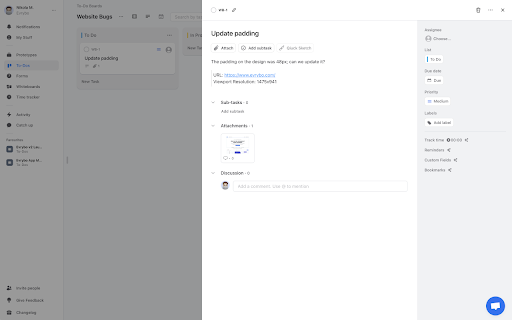
Create an Evrybo account, log in, and choose your to-do board. Once you do that, you’ll be able to select part of the screen and create a task on Evrybo.
A screenshot will automatically be taken and added to the newly created task.
Evrybo Feedback Capture web extension integrated with the OffiDocs Chromium online


