

PDF Guru: PDF Converter Editor Extension for Chrome in Chrome with OffiDocs

Ad
DESCRIPTION
PDF Guru's extension connects you to the platform so that you can convert, edit, compress, and merge files all in one place!
With our PDF converter extension, you get an all-in-one toolkit — convert files, edit content, organize pages, and so much more.
Access these tools in just a few clicks:
- Convert to PDF: Transform Word, Excel, PowerPoint, EPUB, and image files into high-quality PDF documents.
- Convert from PDF: Turn PDF files into editable Word, Excel, PowerPoint, EPUB, and image formats.
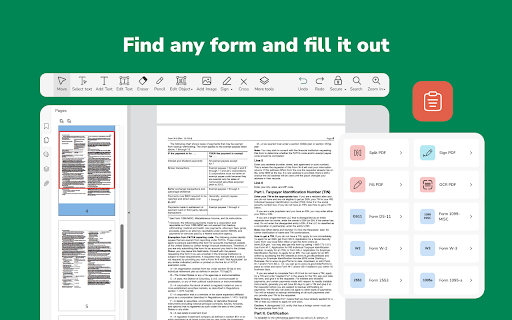
- Edit PDFs: Make changes to text, images, and other elements in your PDFs without any hassle.
- Compress PDFs: Reduce file sizes without losing quality, making it easier to share and store your documents.
- OCR for PDF: Extract text from scanned documents or images using powerful Optical Character Recognition (OCR) technology.
- Fill PDFs: Complete forms right within the PDF Guru interface — no extra tools needed.
- Merge PDFs: Combine multiple PDFs into a single, organized document in just a few simple steps.
- Split PDFs: Separate large PDFs into smaller, easier-to-use files.
How to get started:
1. Install our PDF editor extension from the Chrome Web Store.
2. Pin it to your toolbar for quick access.
3. Click the extension icon, choose a tool, and you’ll be taken to the upload window.
By using our PDF Guru extension, you agree to our Privacy Policy (https://pdfguru.com/privacy-policy) and Terms & Conditions (https://pdfguru.com/terms). We’re all about keeping things safe and easy for you.
PDF Guru: PDF Converter Editor Extension for Chrome web extension integrated with the OffiDocs Chromium online


